How to send an email from the Sale page
This is a process for sending emails directly from the Sale page, making it easy to communicate important information efficiently. Email templates can be adjusted (except the original templates), and there is a variety of reasons an email may be sent post-sale i.e. requesting an Installer measure, sending confirmation emails, etc.
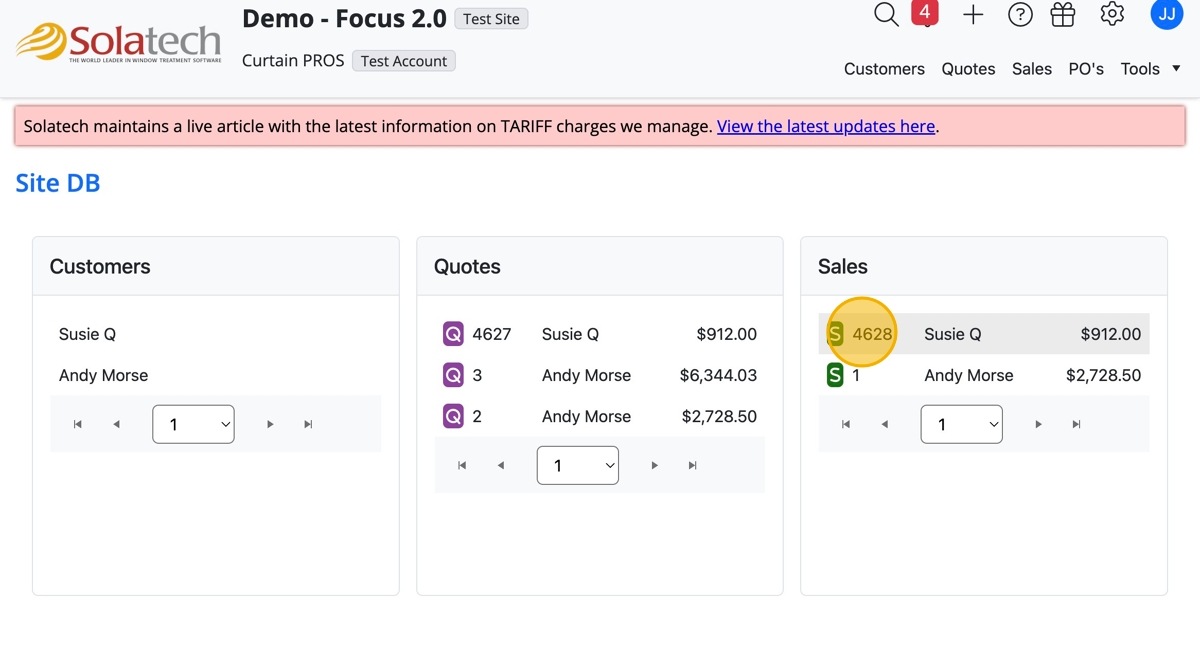
- Navigate to and click the Sale number to open the Sale page
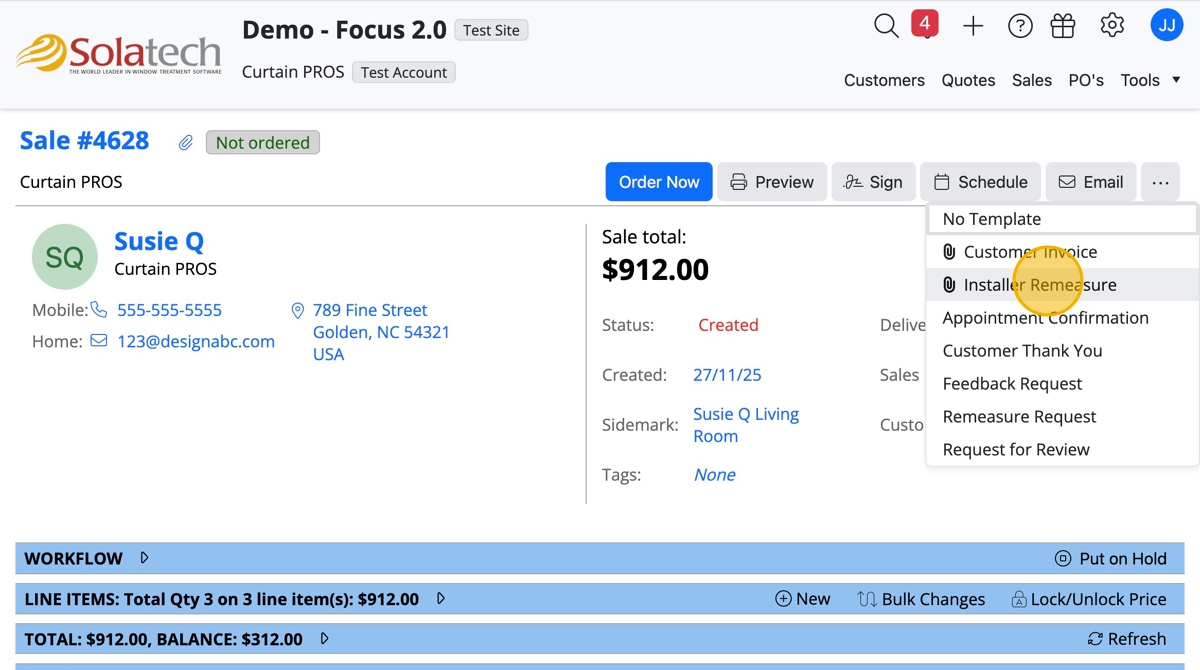
- Click the "Email" button

- Make a selection from the dropdown list and click i.e. "Installer Remeasure"
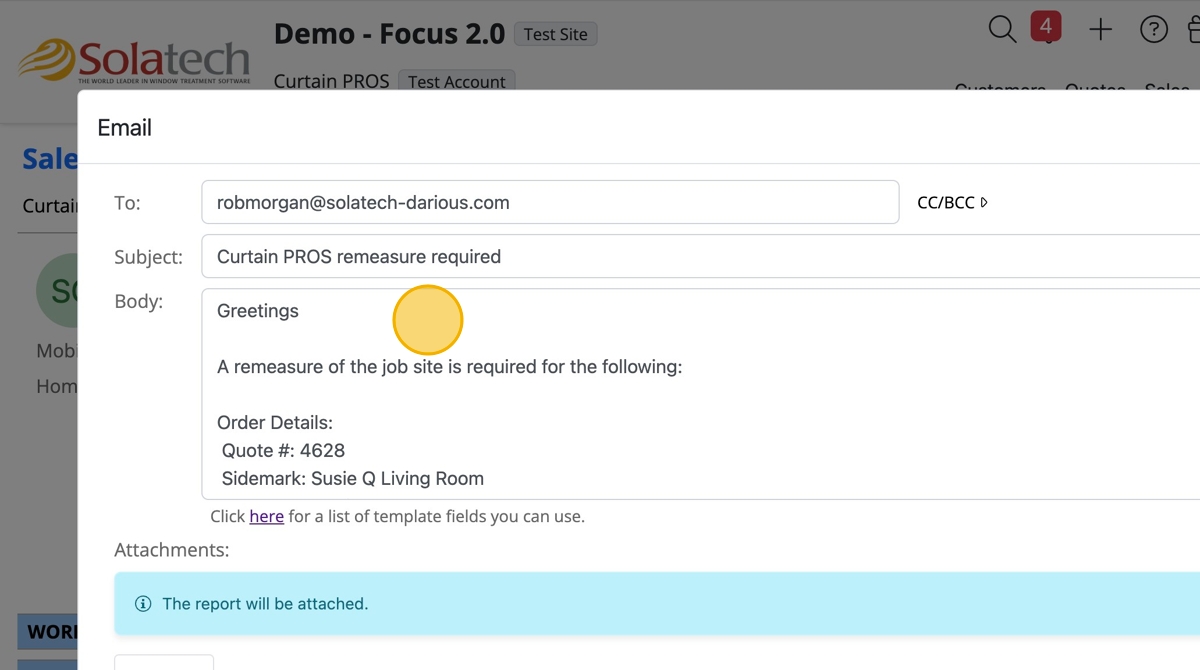
- Click the "Body" field to adjust the email message
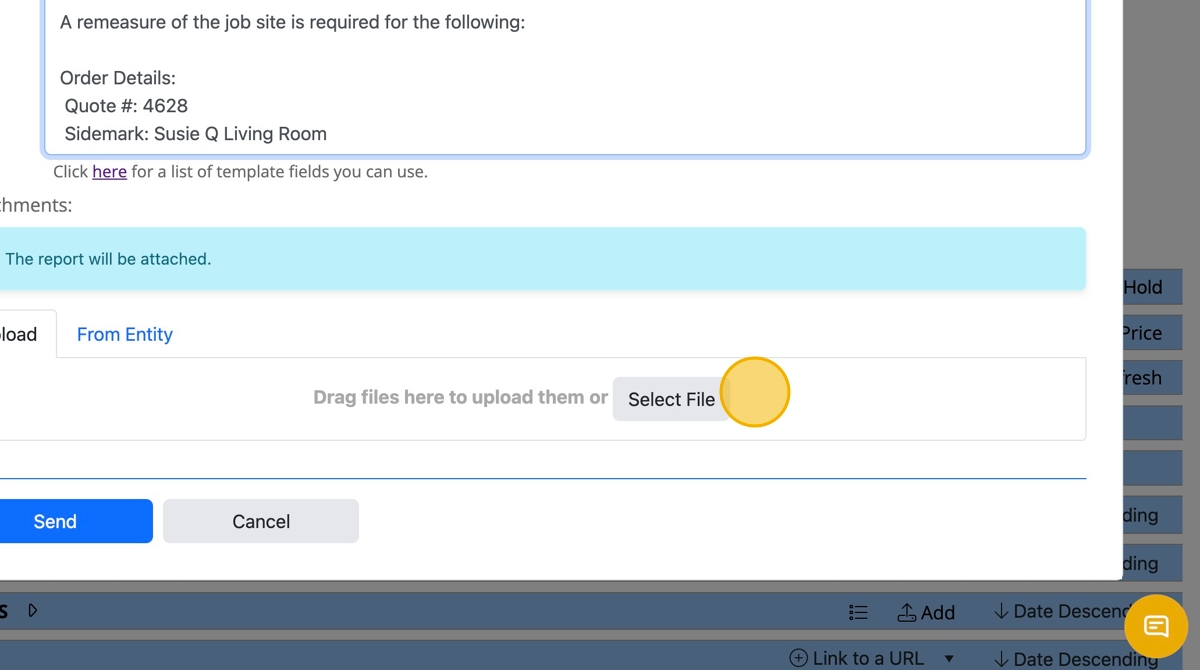
- The paperwork automatically is attached to the email, to add more images or paperwork, click "Select File" to upload from the computer or drag and drop the files
- Click the "Send" button

Related Articles
Converting a sale to an order in Solatech Focus
Summary: From the status of Sale, ordering your products converts your Sale to an Order. To get to your Sale Review page, first click on the Sales tab Select the Sale you are ready to order and click on the blue hyperlink to the left of the Sale. ...
Setting up Process Reports and Email Templates
Summary Account Administrators can setup multiple versions of Process Reports that can be printed, previewed or emailed to customers or other users. This knowledge base article will describe how to setup and use process report templates Accessing and ...
How to email a Report in Solatech Focus
Summary: This article explains how to email a report (output) in Solatech Focus. At many points in the Sales process, there may be a need to email output either to your customer or internally. The output available to you depends upon the status of ...
How to send Purchase Orders to Vendors using Online Order Processing
Summary This article will describe how to send purchase orders to a vendor in Solatech Focus, using Online Order Processing (OOP). Orders may be sent by a Site Administrator, Account Administrator or a Sales Rep. Instructions From your list of sales, ...
Setting up SMTP email for your Solatech Focus User Account
Summary Solatech Focus allows users to setup the email address which will be used to send quote to customers. By default, emails sent will come from noreply@Solatech.com. Your Account Administrator will decide to either have all emails sent from one ...