How to Setup Account Properties under General Tab

How to Setup Account Properties under General Tab


How to Setup Account Properties under General Tab

Login to Solatech Focus 2.0 and navigate to the Settings Gear icon in the top right corner

  1. Click Settings Gear Icon


  1. Click the "Account Administration" section under Settings


  1. Click the "Properties" menu under "General"


  1. Click the "Company" section to edit


  1. Click the "Upload" button to add or edit a logo


  1. Click "Select File" button to choose a file from the computer


  1. Search and select the file you want to use, then click "Open"


  1. One uploaded, click the "Save" button


  1. Click "Account Name" to add or edit your company name


  1. Click "Save"


  1. Click the "Contact" section to edit company contact information


  1. Enter where appropriate: the phone number, fax number, email address, cc: address, bcc: address, website


  1. Click the "Save" button


  1. Click on the "Account Formats" section to edit
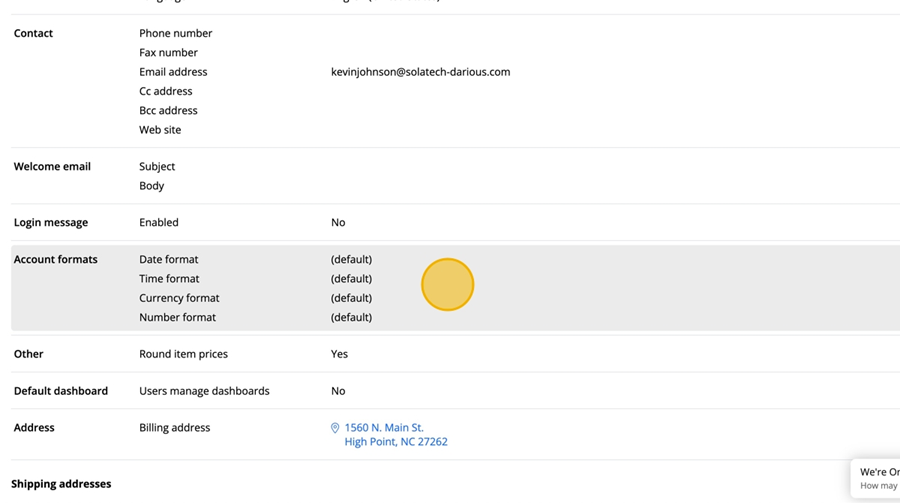
  1. Click the carrot on each dropdown to select a date, time, currency, and number format.

  1. Click the "Save" button


  1. Click "Other" to toggle on/off if pricing needs to be rounded to the nearest dollar. This will adjust the pricing for quote line items.
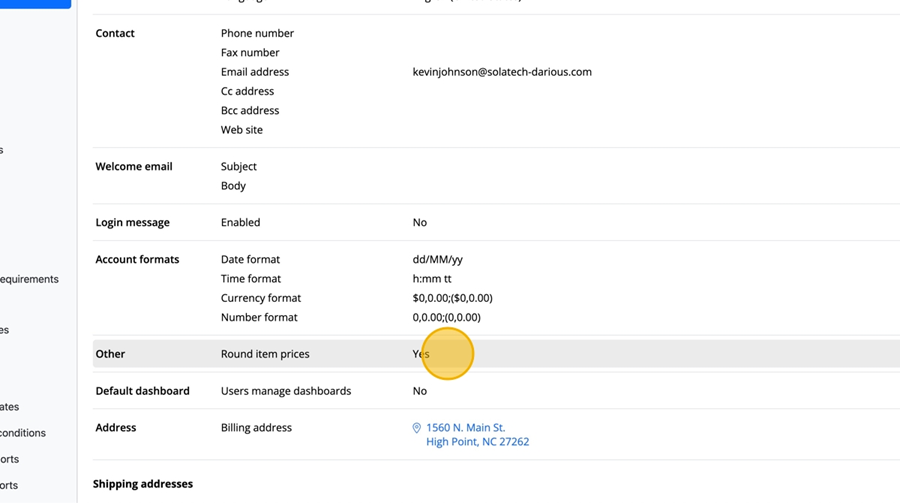
  1. Click the "Save" button


  1. Click the "Address" section to put in the main company address, then click each text field to edit the information
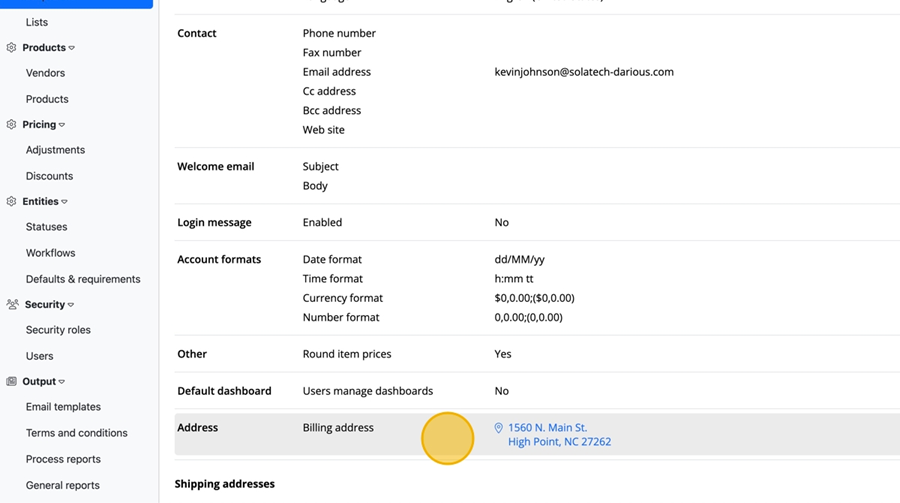
  1. Click the "Save" button


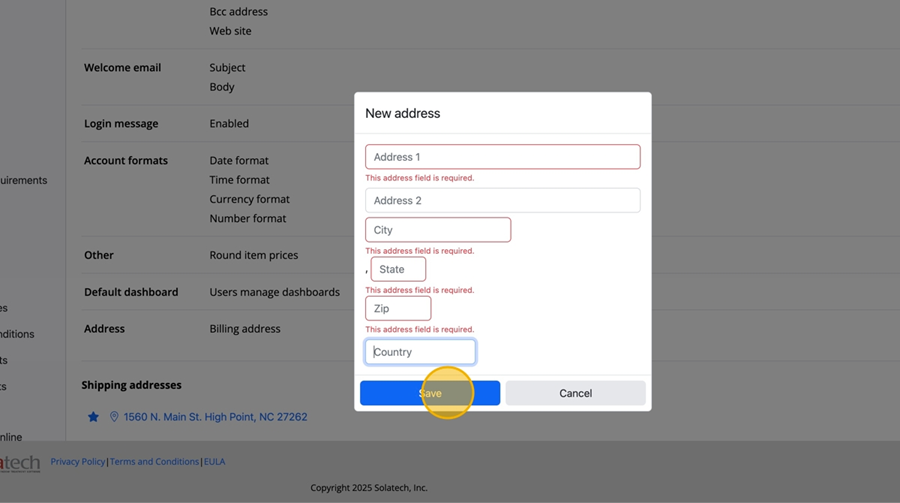
  1. To edit or add shipping addresses, click the "+New" button under "Shipping Addresses"
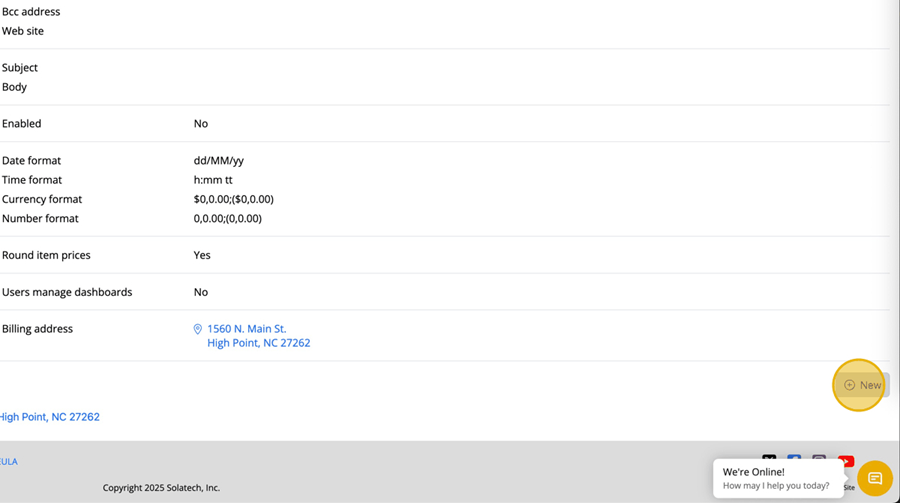
  1. Fill in all of the address fields then click the "Save" button
    • Related Articles

    • How to customize Lists under General tab in Account Administration Settings

      How to customize Lists under General tab in Account Administration Settings This guide provides a comprehensive walkthrough for customizing various lists within the Account Administration Settings, enhancing your ability to tailor the system to your ...
    • How to Setup Norman Blinds for Online Order Processing

      Summary This article explains how to setup Norman Blinds for Online Order Processing in Solatech Window Covering Software. NOTE:  This applies to SWCS version 4.2.456 and higher. More Information Only the following Norman products can be processed ...
    • How to Setup the Email Feature in SalesPRO

      Summary This article will describe how you can enable email in SalesPRO.  This will allow quotes and orders to be emailed directly from SalesPRO.  Before this feature can be enabled, you will need to have your email account settings available.  If ...
    • Account Administrator: How to setup QuickBooks Online Integration for your account

      Summary Solatech Focus users who have the QuickBooks Online Integration enabled for their account can easily link their Focus account to their QuickBooks online account. After a few setup items have been completed, the Account Administrator can begin ...
    • Add Account Numbers to Products in Solatech Focus

      Summary Entering and saving account numbers for a vendor allows for electronic ordering directly from Solatech Focus to the vendor. In essence, the order is sent directly to the vendor and there is no need to build products a 2nd time in the ...