How to create and submit a Purchase Order

How to create and submit a Purchase Order


How to create and submit a Purchase Order

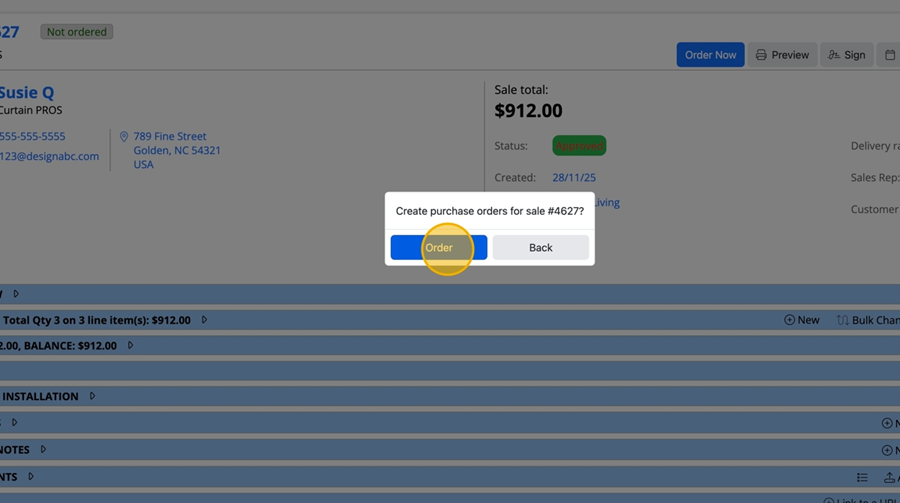
  1. From the Sale page, click the "Order Now" button

  1. Click the "Order" button

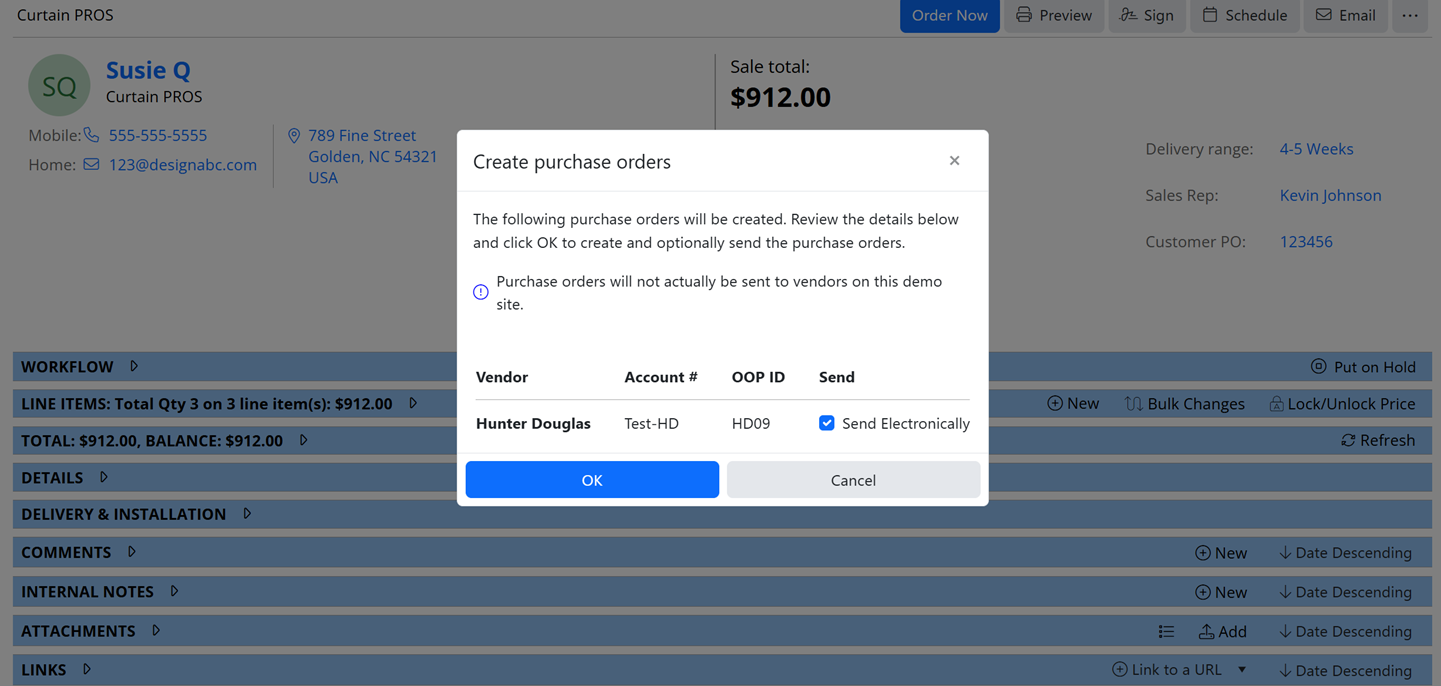
  1. Click the "OK" button if receiving an alert that the PO cannot be sent electronically. By clicking OK, the PO will be created in order to be sent to the vendor manually. This will bring you back to the sale page.

Tip!

Tip! If the vendor allows electronic ordering, under the Send column (where currently Send Electronically is greyed out) you will have the ability to select the checkbox and submit the order direct with the vendor

  1. When coming back to the Sale page, the "Purchase Order" bannder appears, by clicking on the banner arrow, it will expand the details and show you all PO's for the sale.
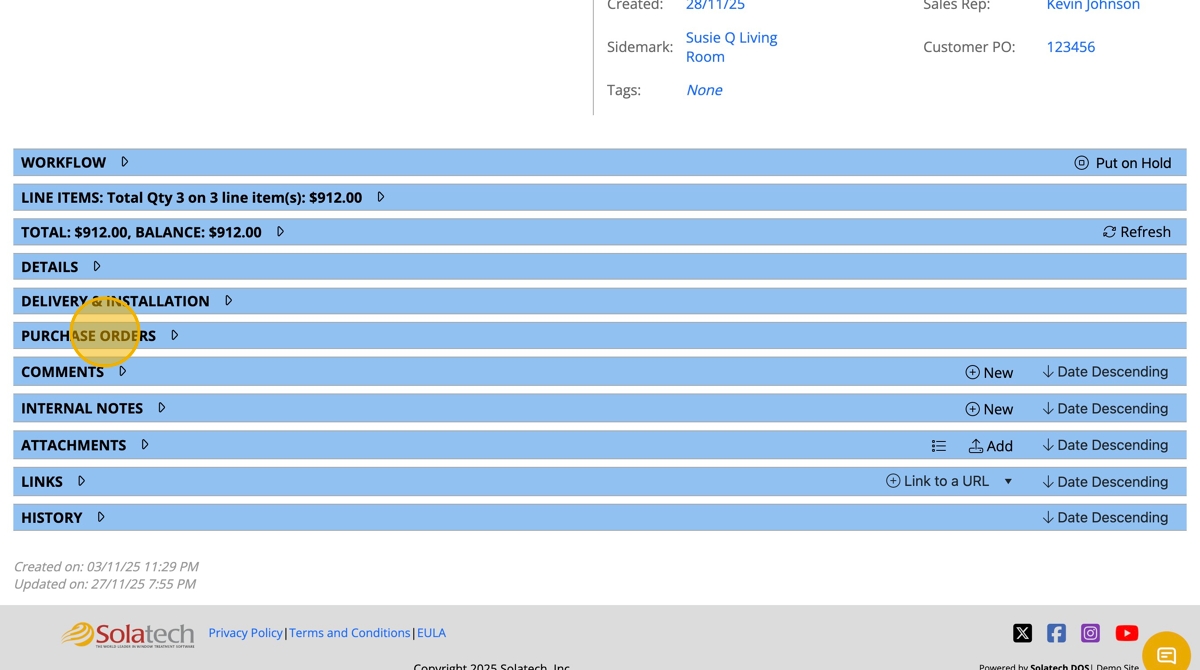
  1. See example

    • Related Articles

    • How to use the RGA Items button for Purchase Orders in Solatech Focus

      Summary: This document will overview the purpose of the RGA button in Purchase Orders, and explain how to use it. RGA stands for Return Goods Authorization. The RGA button is used when an item(s) on a specific PO is received from the fabricator that ...
    • Setting up Split Purchase Orders for Products

      Summary: As a dealer, you may wish to split individual line items from the rest of a Purchase Order (PO). Below are instructions to assist Account Administrators in enabling split POs for individual products. For example, if quoting Norman shades, ...
    • How to create Purchase Orders based on the line item

      Summary Solatech Focus allows Account Administrators to choose one or more products which should always create separate Purchase Orders per line on an order. This article will describe how an Account Admin can enable that for products of their ...
    • How to Setup an OOP Purchase Order by Vendor and Product

      Summary This article explains how to submit purchase orders via Online Order Processing (OOP) based on whether the PO needs to be split or not split by product, based on the vendor's requirements. More Information This article is being written with ...
    • How to send Purchase Orders to Vendors using Online Order Processing

      Summary This article will describe how to send purchase orders to a vendor in Solatech Focus, using Online Order Processing (OOP). Orders may be sent by a Site Administrator, Account Administrator or a Sales Rep. Instructions From your list of sales, ...