How to Setup QuickBooks (QBO) Integration

How to Setup QuickBooks (QBO) Integration


How to Setup QuickBooks (QBO) Integration

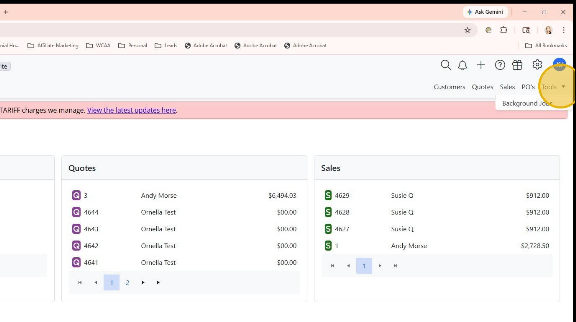
  1. Click "Tools"

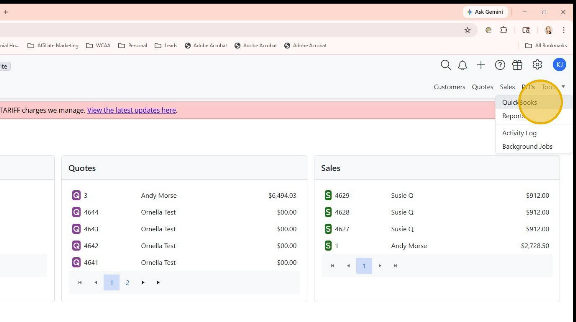
  1. Click “QuickBooks” from the dropdown menu
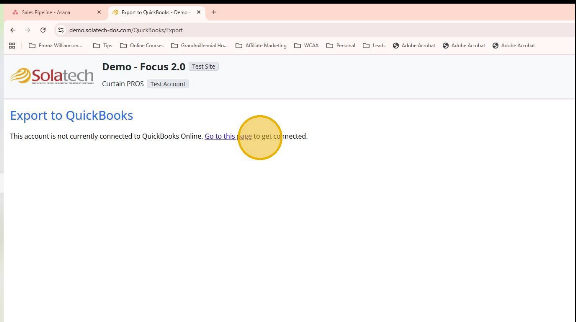
  1. Click “Go to this page”
  2. On the Intuit sign in screen, enter your QuickBooks email/User ID and password and click Sign In
  3. In the next window, you will be asked to select the QuickBooks company you wish to connect to Solatech Focus (if more than one QuickBooks company exists)
  4. Click the Connect button
  5. You will receive a message that your account is now connected in QuickBooks.
  6. Navigate Back to the Focus site and click the Gear icon
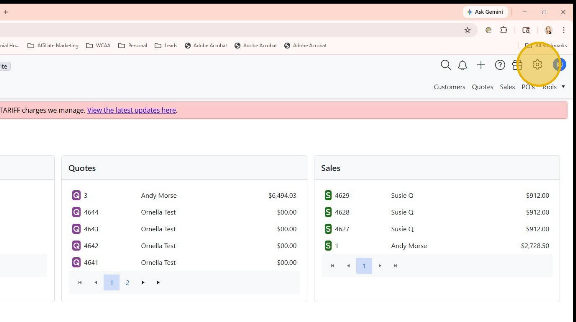
  1. Click "Account Administration" from the dropdown menu
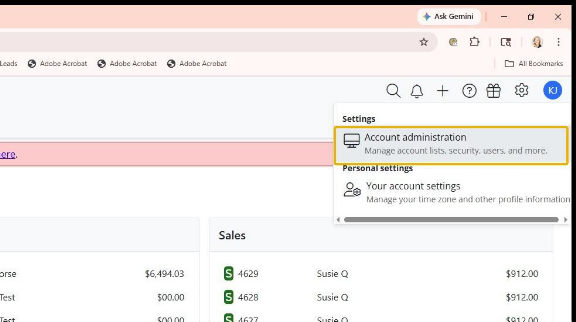
  1. Navigate to the menu on the left of the screen and click "Quickbooks Online"
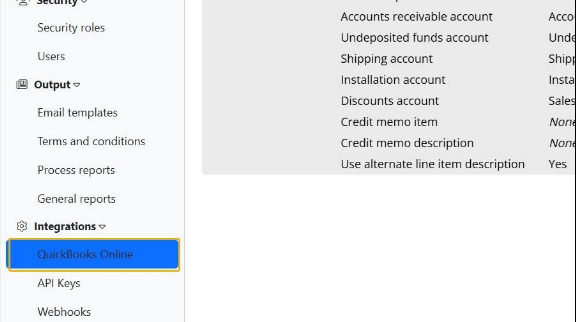
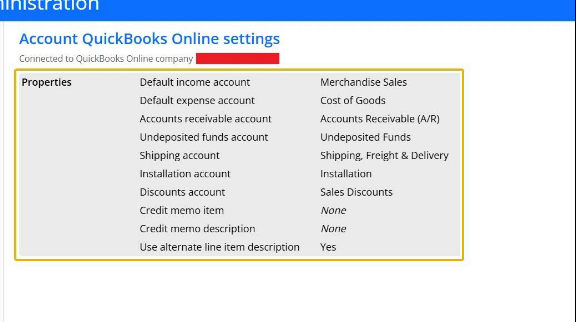
  1. You'll be able to see a list of Quickbooks properties in your account
  2. Click in the “Properties” area to change the name for each of the given fields.  These need to match the account names that you use in QuickBooks
    • Related Articles

    • Account Administrator: How to setup QuickBooks Online Integration for your account

      Summary Solatech Focus users who have the QuickBooks Online Integration enabled for their account can easily link their Focus account to their QuickBooks online account. After a few setup items have been completed, the Account Administrator can begin ...
    • How to use QuickBooks Online Integration

      Summary This knowledge base article will describe the process of sending information from a Solatech Focus account to a QuickBooks Online account.  This knowledge base article assumes that QuickBooks Online integration is enabled for your account, ...
    • Setting up SMTP email for your Solatech Focus User Account

      Summary Solatech Focus allows users to setup the email address which will be used to send quote to customers. By default, emails sent will come from noreply@Solatech.com. Your Account Administrator will decide to either have all emails sent from one ...
    • Site Administrator - How to enable QuickBooks Online integration for your accounts

      Summary QuickBooks Online integration is available as an optional paid feature for Solatech Focus users. Once this feature has been turned on for your site, a Site Administrator must enable this feature for any accounts who should have access. This ...
    • Troubleshoot Quickbooks Online errors in Focus 2

      Summary Sometimes an export or other function may not work as we hope. Below is a guide to finding the rationale, enabling the user (and Support) to resolve the issue. 1) In this example, a user attempted to export a customer into a connected ...