How to generate installer paperwork using the Preview button
The Preview button found on the Sale page is where you can find and generate the Progress reports that are setup in the Admin Account Properties. These Progress reports are used for installer paperwork, packing list to check in products, order confirmations, etc.
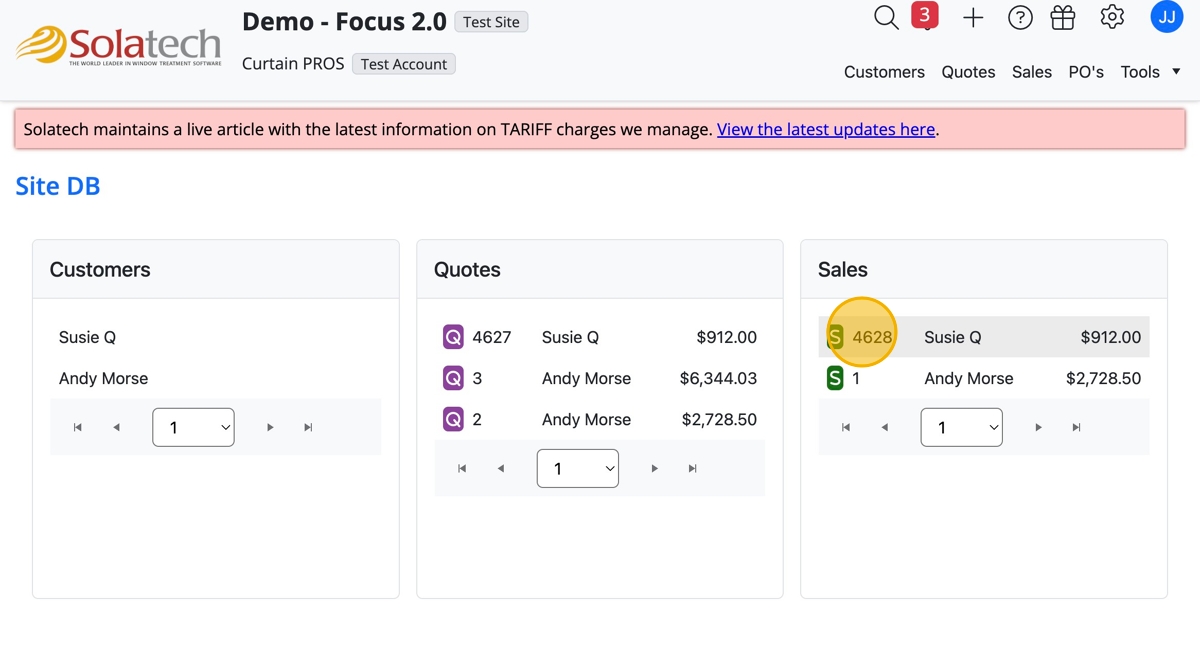
- Navigate to and click the Sales number to open the Sales page
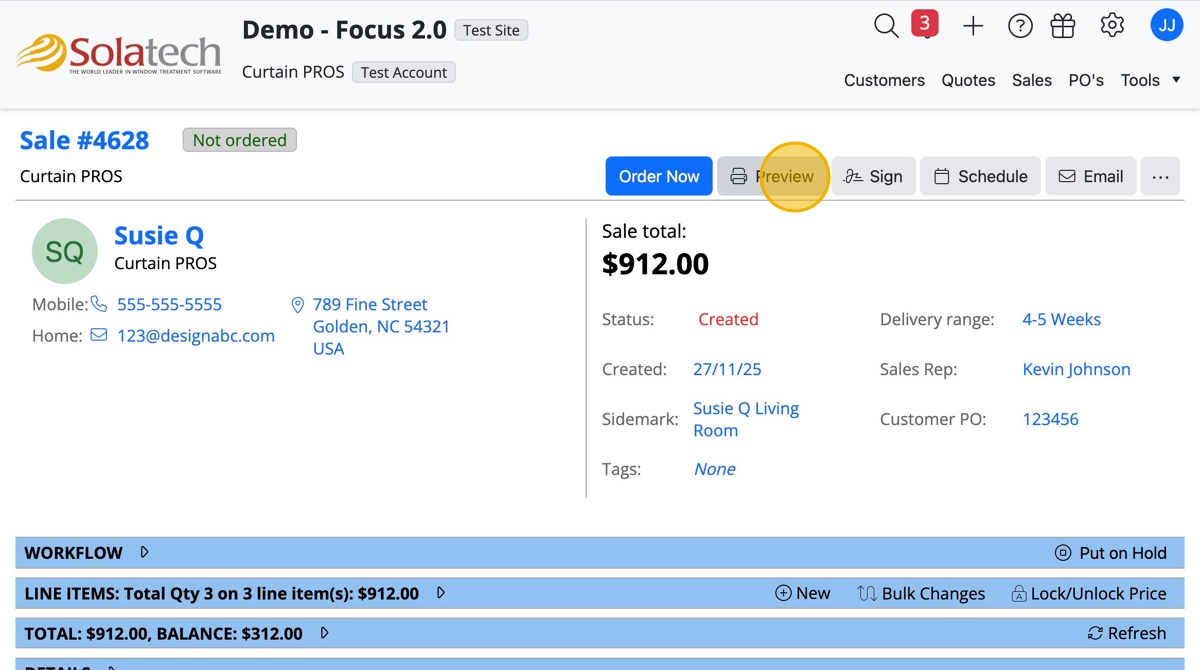
- Click the "Preview" button
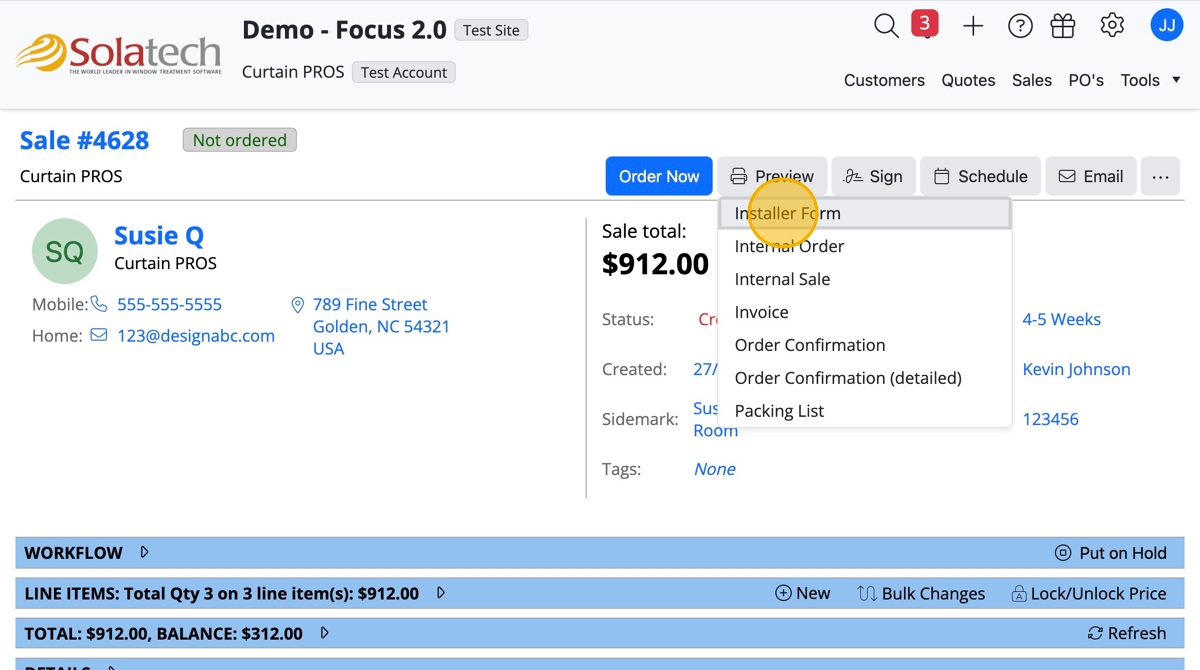
- Select the paperwork to generate a pdf, i.e. "Installer Form"
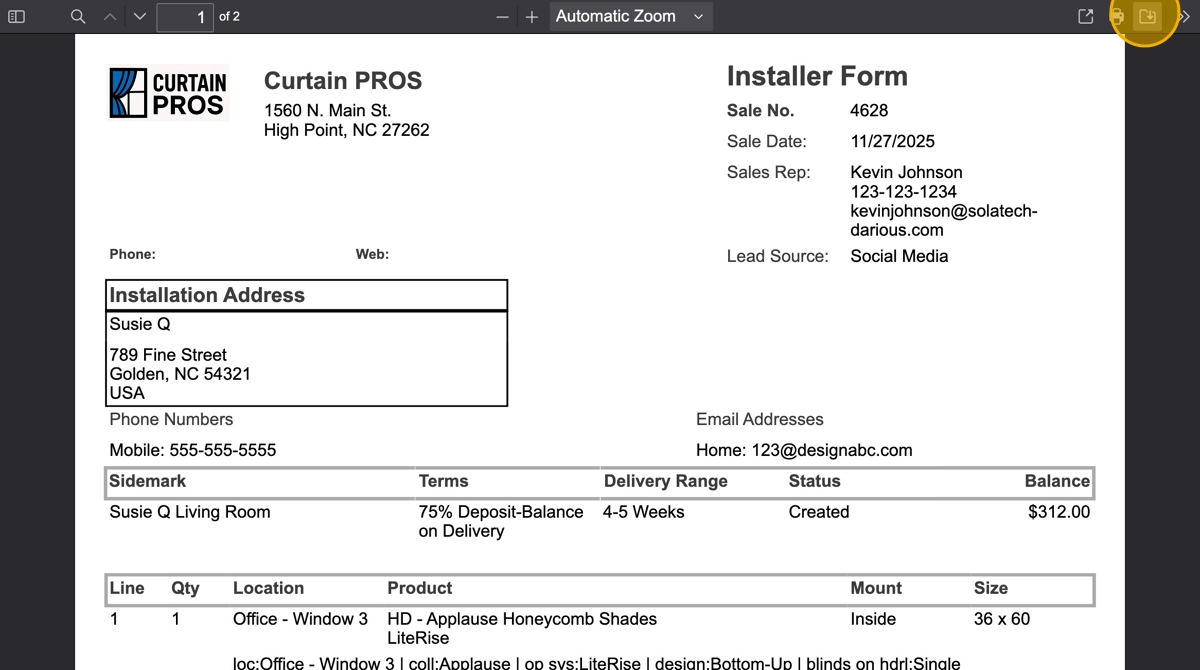
- The pdf will open in a separate tab showing a preview of the Installer Form
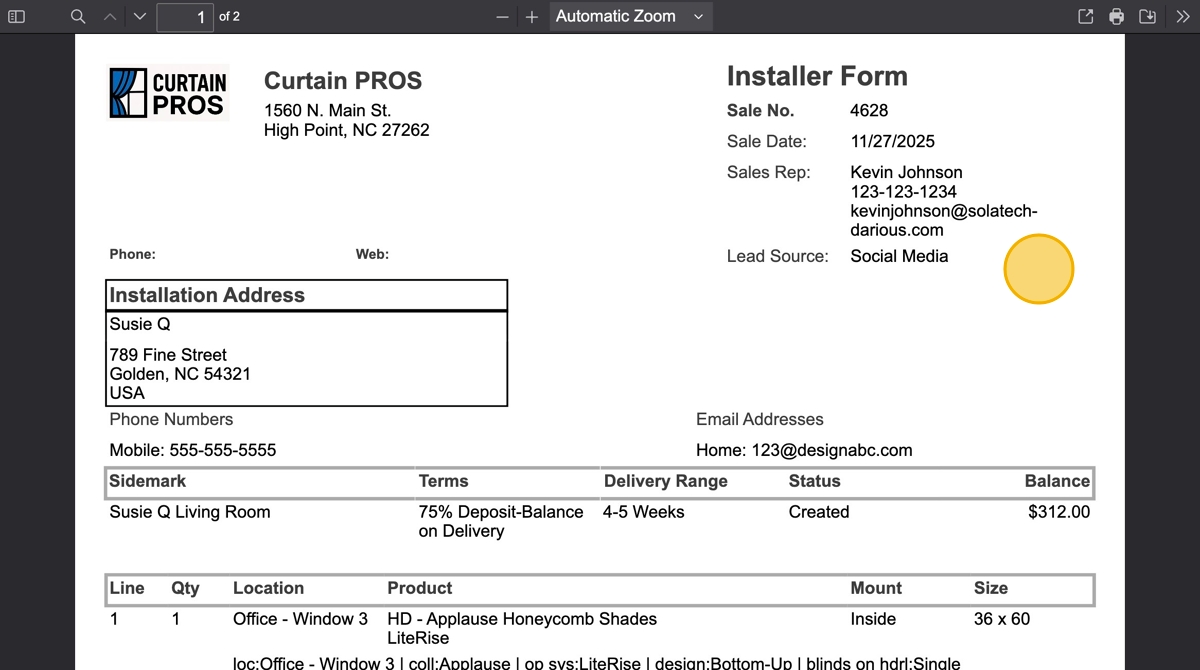
- To save to your computer, click the download icon.
Related Articles
How to generate installer paperwork using the Preview button
How to generate installer paperwork using the Preview button The Preview button found on the Sale page is where you can find and generate the Progress reports that are setup in the Admin Account Properties. These Progress reports are used for ...
How to generate a Purchase Order and use the Preview button
How to generate a Purchase Order and use the Preview button Click "PO's" Click on the PO number Click the "Preview" button to see the templated forms Select from the dropdown list, i.e. click "Purchase Order" and another tab will open with the pdf to ...
How to Capture Customer Signature directly from Print Preview
Summary This article provides information on capturing a customer signature using Adobe Reader to preview quotes or orders in Solatech. This can be used as an alternative to Journal Note Writer for Solatech users with tablet PCs. More Information To ...
Using the Reports Center
Summary Solatech Focus and DOS users have the ability to run reports from their system. The types of reports available will vary by user type. In this knowledge base article, we will describe how to run, view and export reports that can be opened in ...
Production labels 'creep' when printing from print preview
Symptoms When production labels are printed from within the Print Preview dialog, the labels 'creep' up or down. By 'creep' we mean that each label starts printing a little bit up or down relative to the previous or next labels, instead of in a fixed ...