How to duplicate a Quote

How to duplicate a Quote


How to duplicate a Quote

This guide provides a method for duplicating quotes, making it easier to manage and replicate important information. By following the simple steps outlined, users can save time and ensure accuracy in their quoting process. 

  1. Login to Solatech

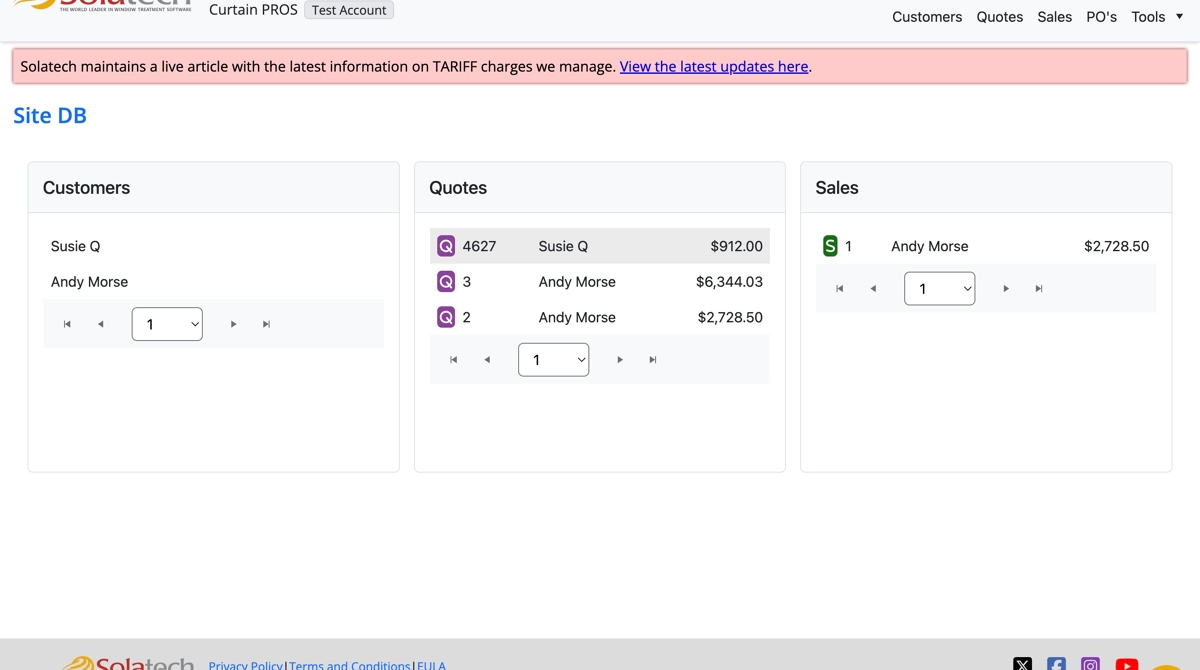
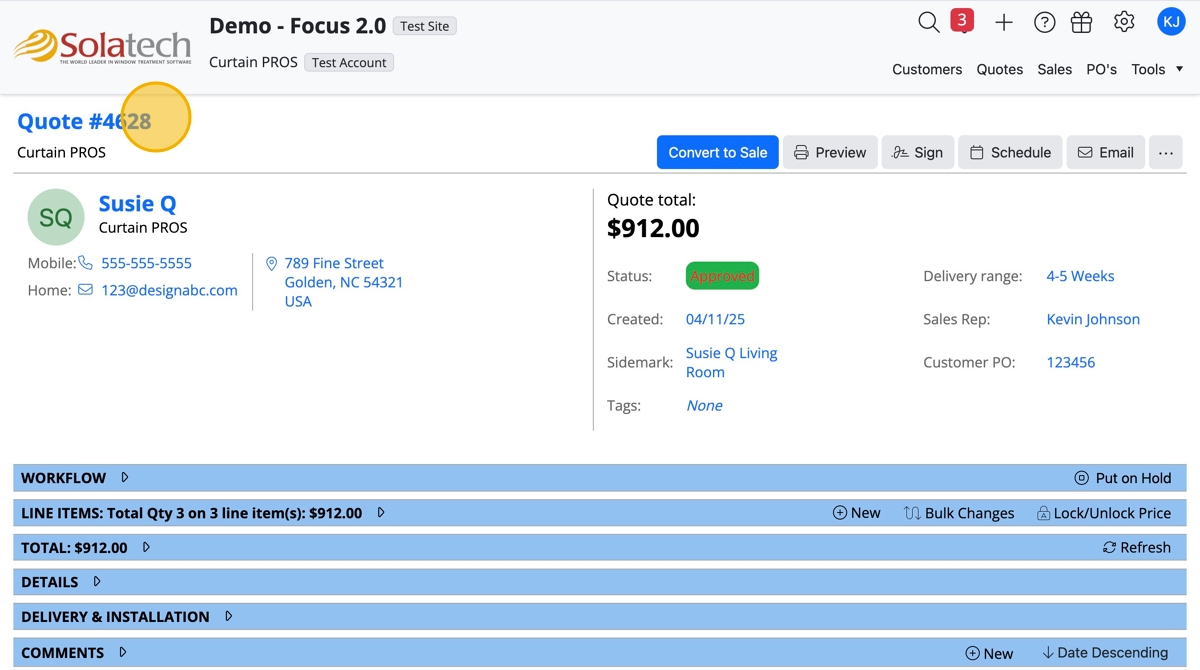
  1. Click on the Quote number to navigate to the Customer Quote or click on the "Quotes" tab to look up the Customer Quote
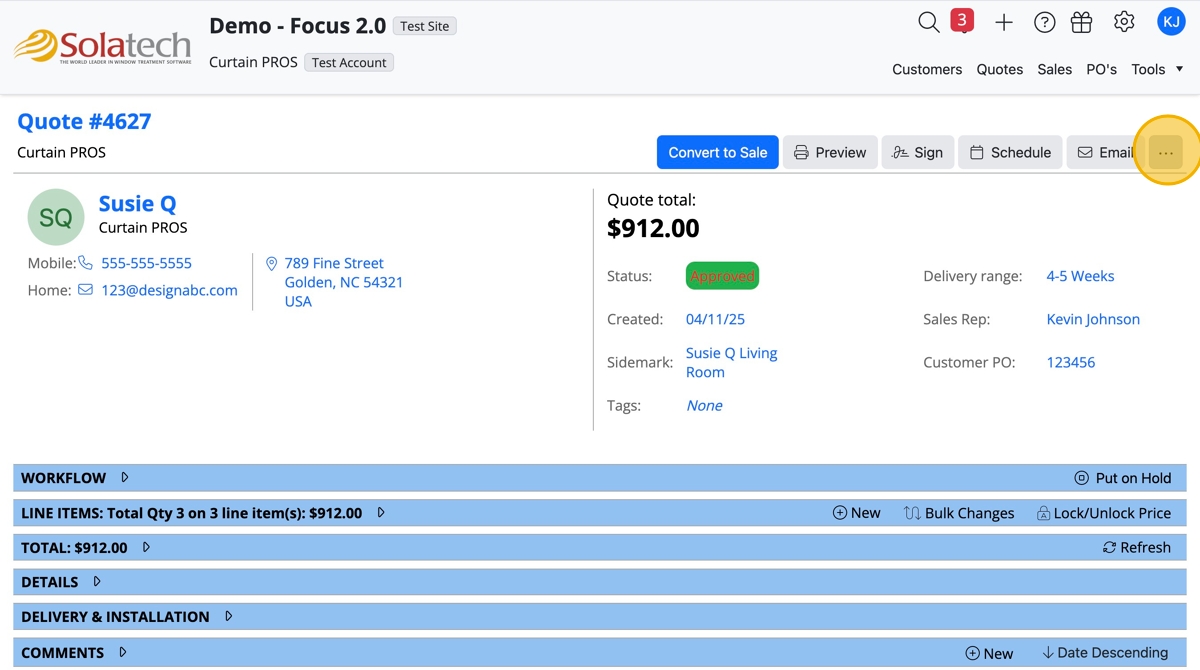
  1. Click the "..." 3 dots button

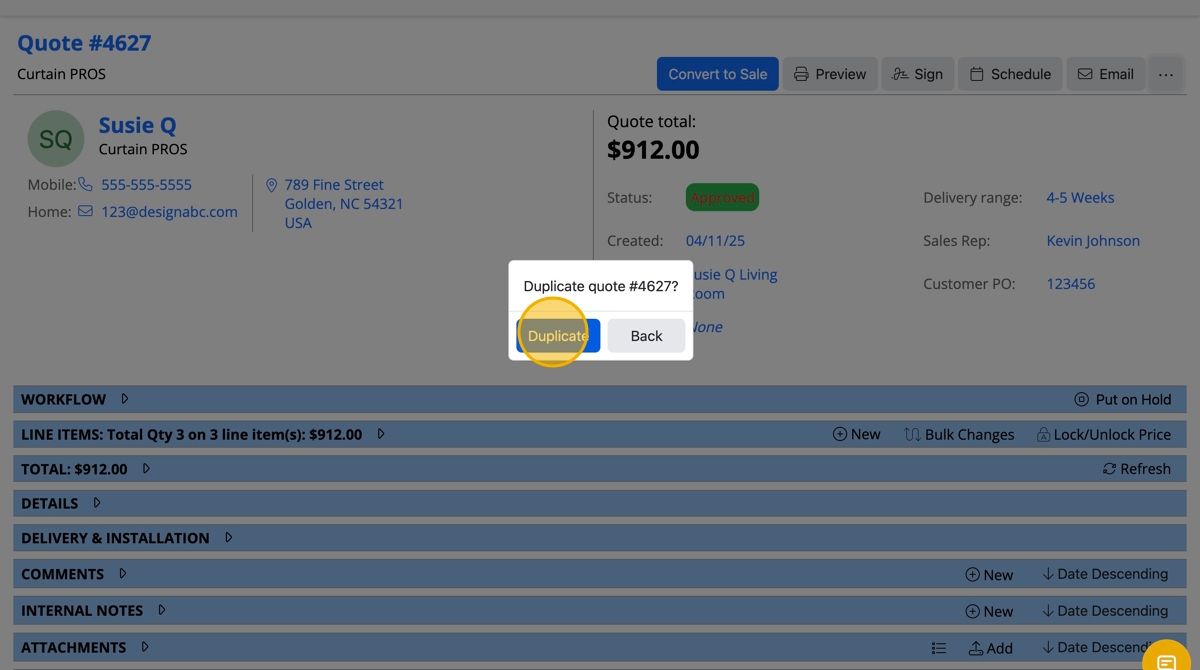
  1. Click "Duplicate" from the dropdown

  1. Click the "Duplicate" button

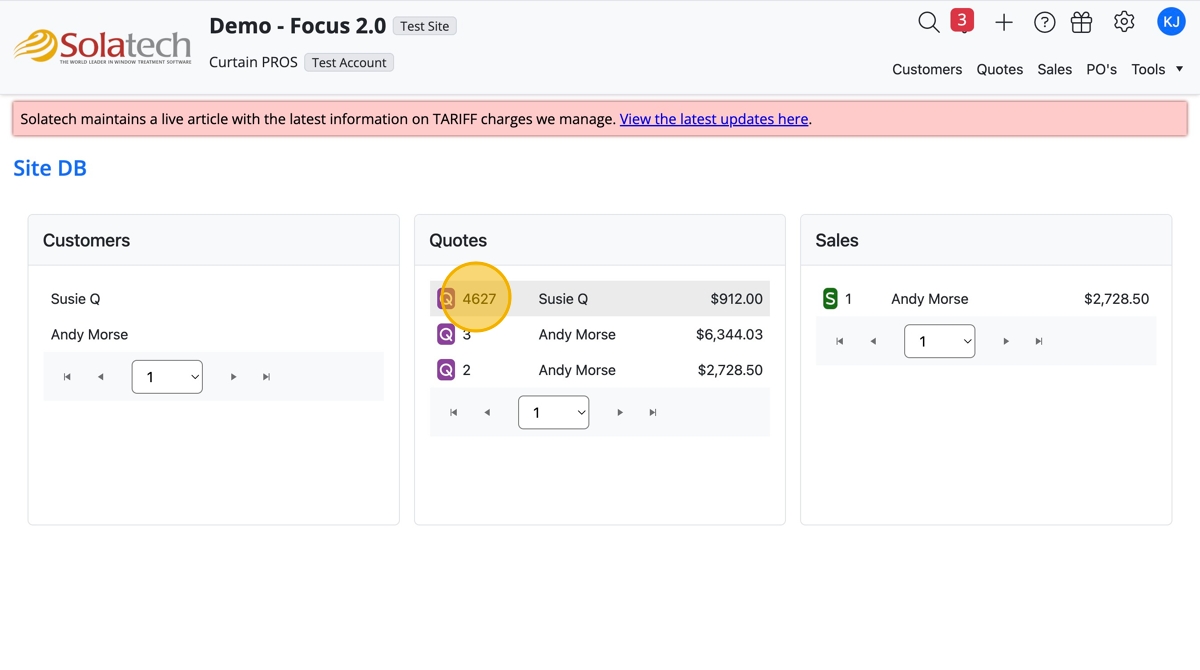
  1. The new Quote will have a new identifying Quote number and have all the same details as the previous quote copied. If the Quote needs to be updated, navigate to the "Line Items" banner and edit per Line Item or use the "Bulk Change" feature
    • Related Articles

    • How to duplicate a quote or order

      Summary This article will explain how to duplicate an existing quote or order in SWCS. More Information To duplicate a quote or order: Click the View Quotes or View Orders button to display your quotes or orders. Highlight the quote or order you want ...
    • How to Duplicate a Quote or Sale

      Summary This article will explain how to duplicate an existing quote or sale in SalesPRO.  Orders cannot be duplicated. More Information To duplicate a quote or sale: Click the Quotes or Sales icon on the Home tab. Highlight the quote or sale you ...
    • Duplicating a Quote

      More Information These navigation and entry instructions may not be the only way to complete the desired task.  For more in-depth explanations, any related articles will follow the instructions as links. Steps From Home tab, click on Quotes. From the ...
    • Adding a Product to a Quote

      More Information These navigation and entry instructions may not be the only way to complete the desired task.  For more in-depth explanations, any related articles will follow the instructions as links. Steps To create a line item from the ...
    • How to navigate line items in Quotes - Duplicate, Edit, Move, Add a Note

      How to navigate line items in Quotes: Duplicate, Edit, Move, Add a Note This guide provides a method for duplicating line items in Quotes, streamlining your workflow and saving time. By following the simple steps outlined, users can efficiently ...