How to change status of a Quote

How to change status of a Quote


How to change status of a Quote

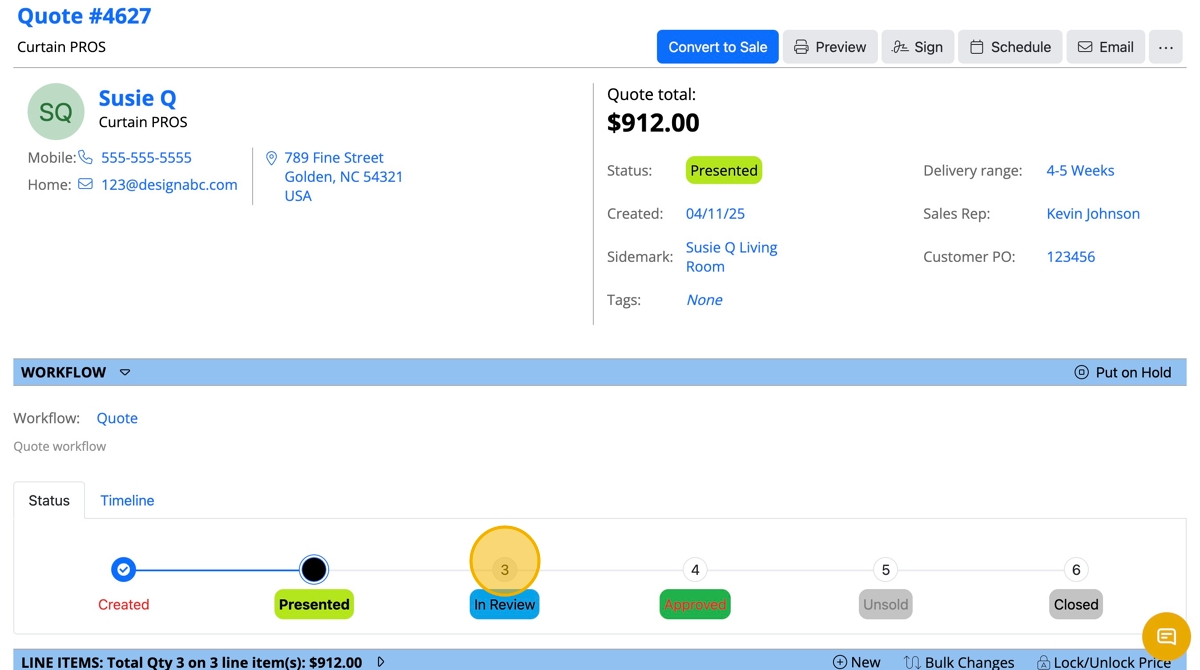
This guide provides a process for changing the status of a quote, ensuring users can efficiently manage their workflow. By following the steps outlined, users can easily navigate the system and update quote statuses from "In Review" to "Approved." This is essential for maintaining accurate records and facilitating timely approvals in business operations. 


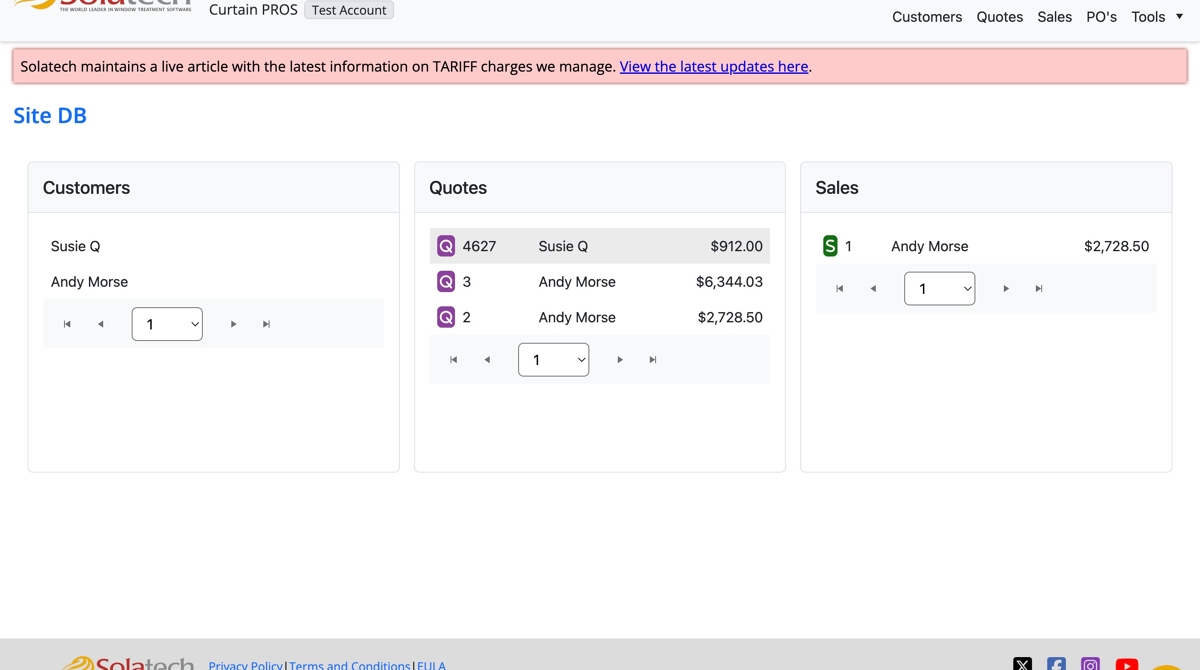
  1. Login to Solatech

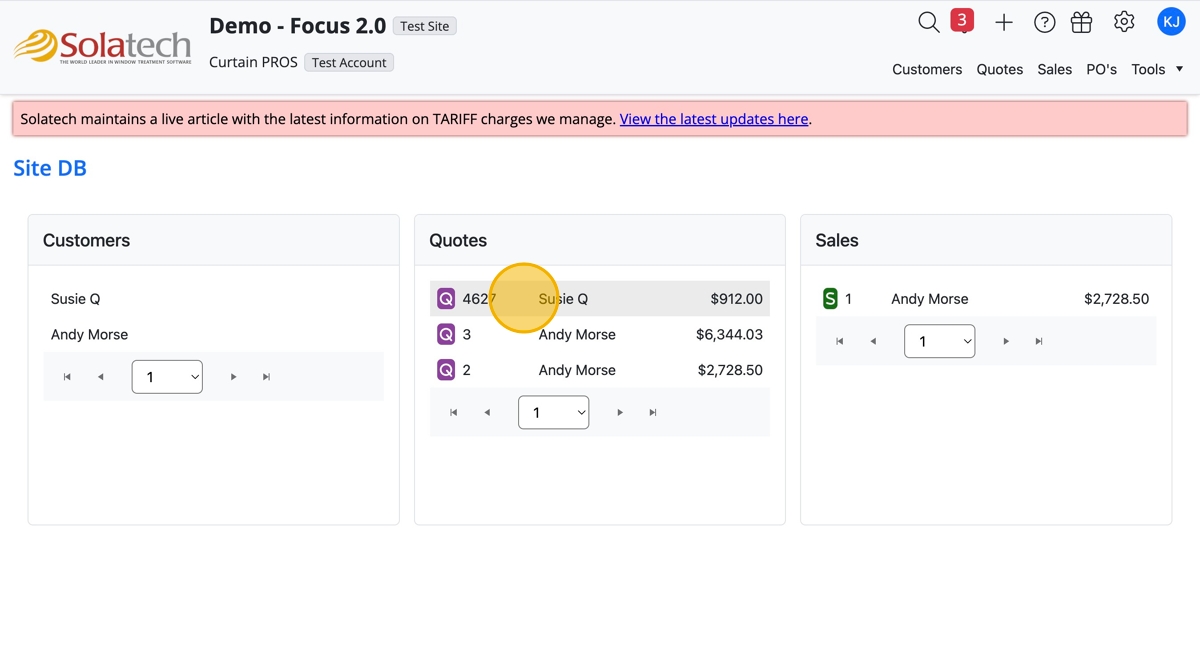
  1. Click on the Quote number on the Dashboard, or click "Quotes" or "Customers" to look up the Customer quote
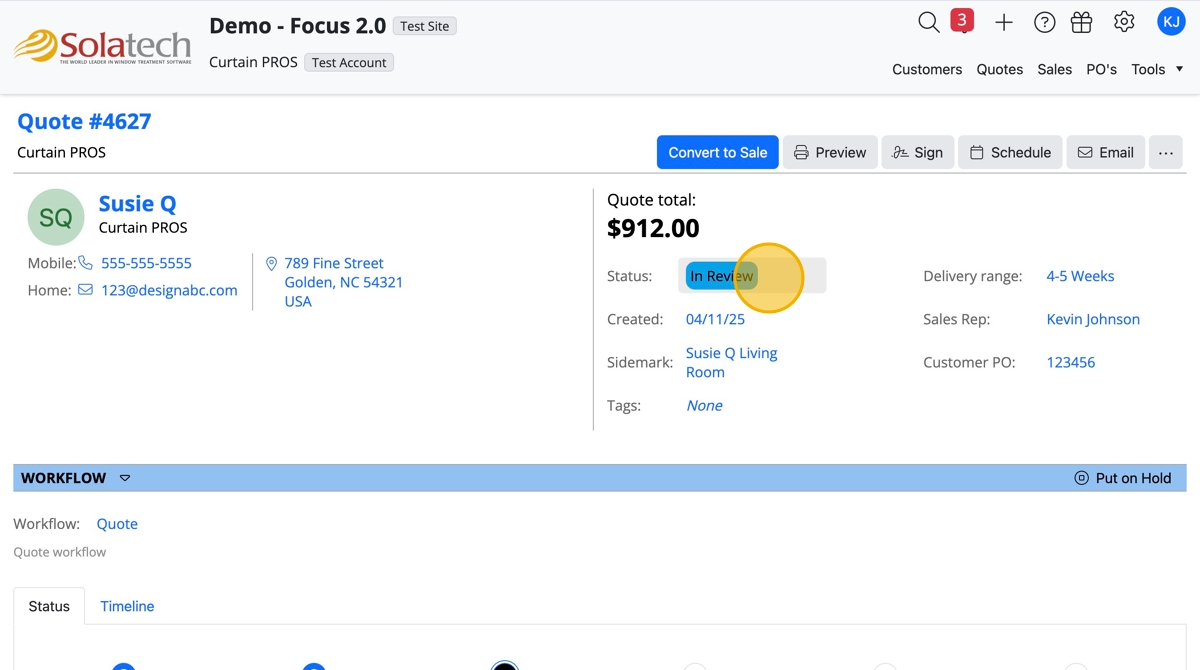
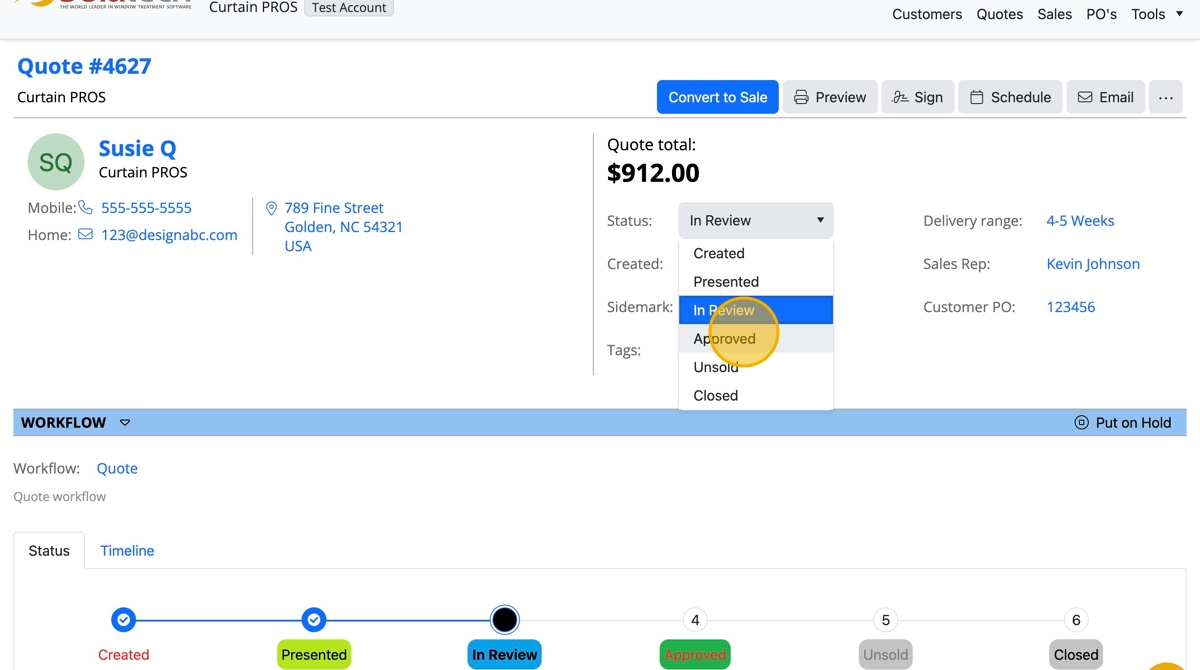
  1. Option 1: Click "Status" dropdown

  1. Click the appropriate "Status"

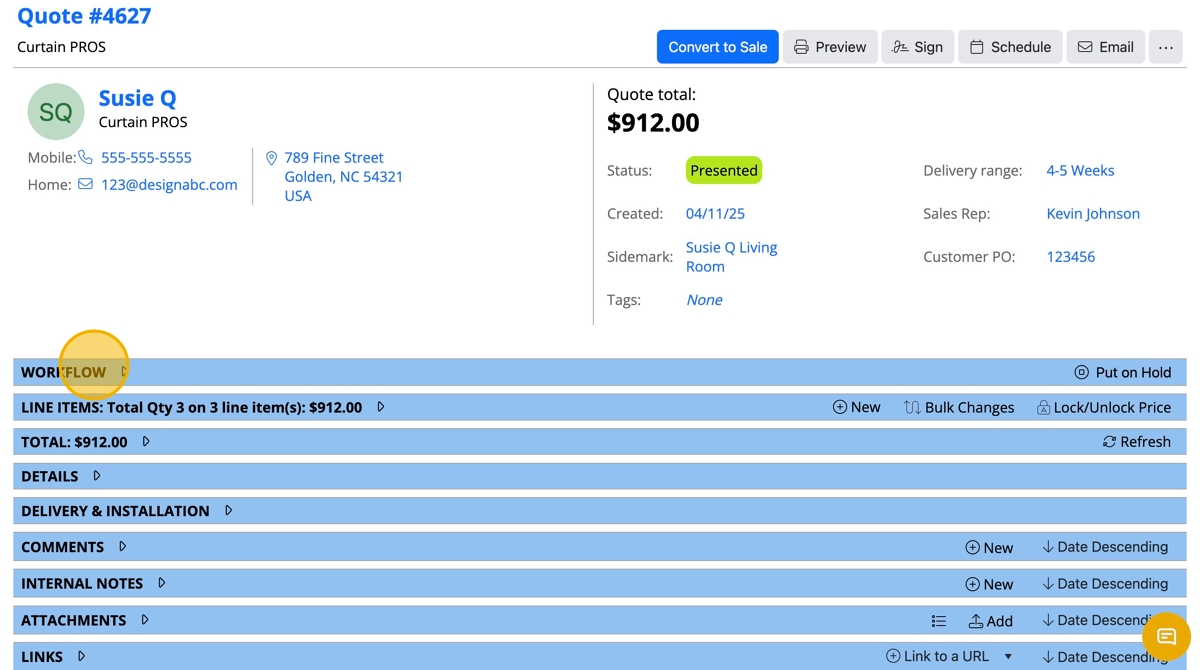
  1. Option 2: Click the "Workflow" banner

  1. Click the appropriate status

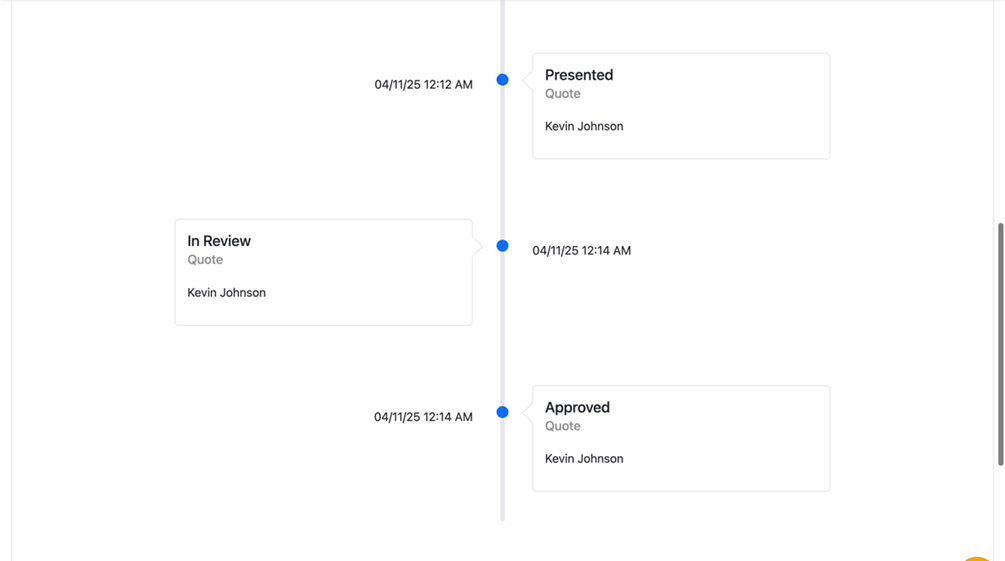
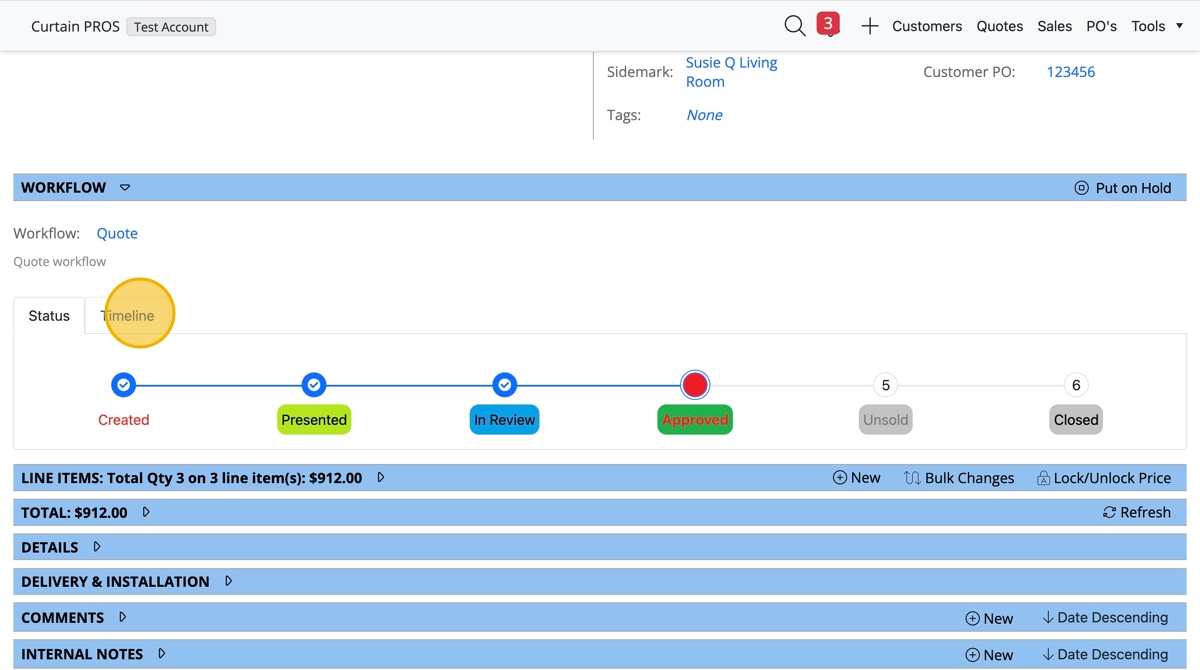
  1. Option 3! Click "Timeline" tab under Workflow to view the history of status changes
  1. Example of timeline view

    • Related Articles

    • Quote and Order Lists - Using Status and Status History

      Summary This article explains how to use Status and Status History to full advantage when viewing Quote and Order Lists in Solatech Window Covering Software version 4.2 and later. More Information Solatech Window Covering Software version 4.x ...
    • How to reset the sync status for a quote or sale on a Roaming Workstation

      Summary In SalesPRO, quotes, sales  and orders (Q/S/O) are briefly locked during the sync process.  Depending on your file sharing service and internet connectivity, the process could take up to 45 minutes.  During this time, you cannot open the ...
    • How to use the Workflow in Solatech Focus

      Overview: The Workflow in Solatech Focus consists of several statuses for Quotes, Sales, Orders, and Purchase Orders that take the user through the process from start to finish. There are several statuses in each stage of the sale process ...
    • Processing a Quote Through to a Sale: An In Depth Guide to Quote Statuses

      Summary This article reviews the processing flow of a quote, focusing on the processing steps and the effect of those steps on the status. More Information For a detailed description of the processing flow as it moves from quote to sale to order, ...
    • How to Change the Customer on a Quote or Sale

      Summary A user may user Quick Quote on the Home page of Solatech Focus to experiment with a configuration or pricing. In some case the user may want to assign this quote to a customer. This article shows how to do that. More information In the box ...